Updated: 21 February 2026
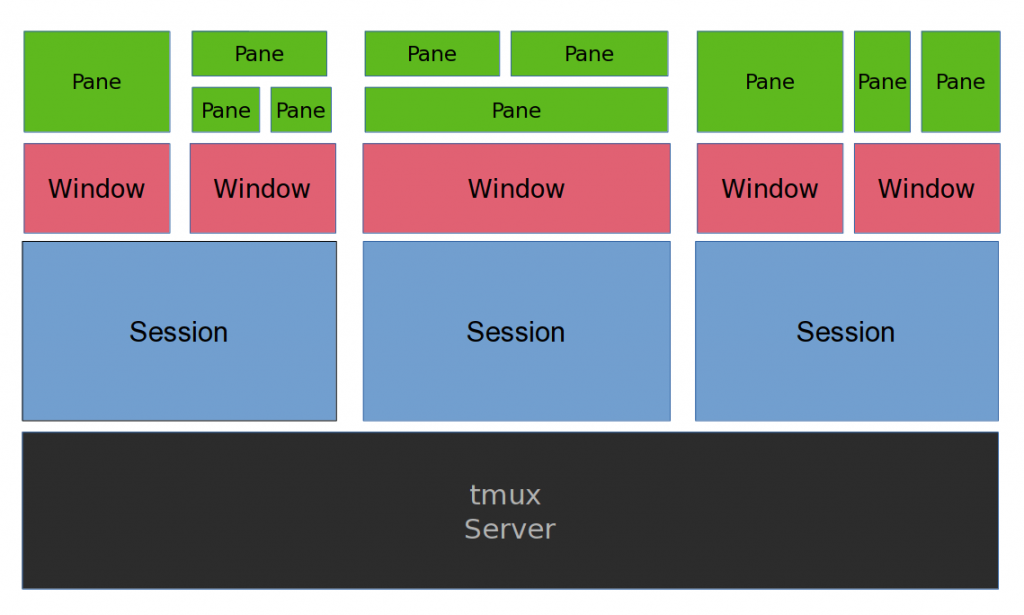
Image credit: https://arcolinux.com/everthing-you-need-to-know-about-tmux-panes/
Show tmux version
tmux -VShow pane numbers
Ctrl+b qselect-layout even-vertical
Ctrl+b Alt+2select-layout even-horizontal
Ctrl+b Alt+1New session
tmuxRename current session
Ctrl+b $Rename current window
Ctrl+b ,Show clock
Ctrl+b tCreate new session when already in a session
Ctrl+b :newMove a window e.g. window 4 goes to 2
swap-window -s 4 -t 2Kill everything
tmux kill-serverKill window
Ctrl+b &Kill a frozen pane
Ctrl+b xKill highlighted session whilst in choose tree
xDetach the current client
Ctrl+b dShow the choose tree
Ctrl+b sNew window
Ctrl+b cEnter command mode
Ctrl+b :Resize a pane
Ctrl+b <arrow key>